
Save candidates to another search
Sometimes a candidate is a better fit for another role than the one they were originally matched with. In TalentRiver, you can easily move candidates to another assignment - all their information, notes, and history stay intact.
Step-by-Step
How to move a candidate
Open the candidate card in your current assignment.
Click the three-dot menu (⋯) in the upper-right corner.
Select “Move to another assignment.”
Choose the new vacancy or assignment from the list.
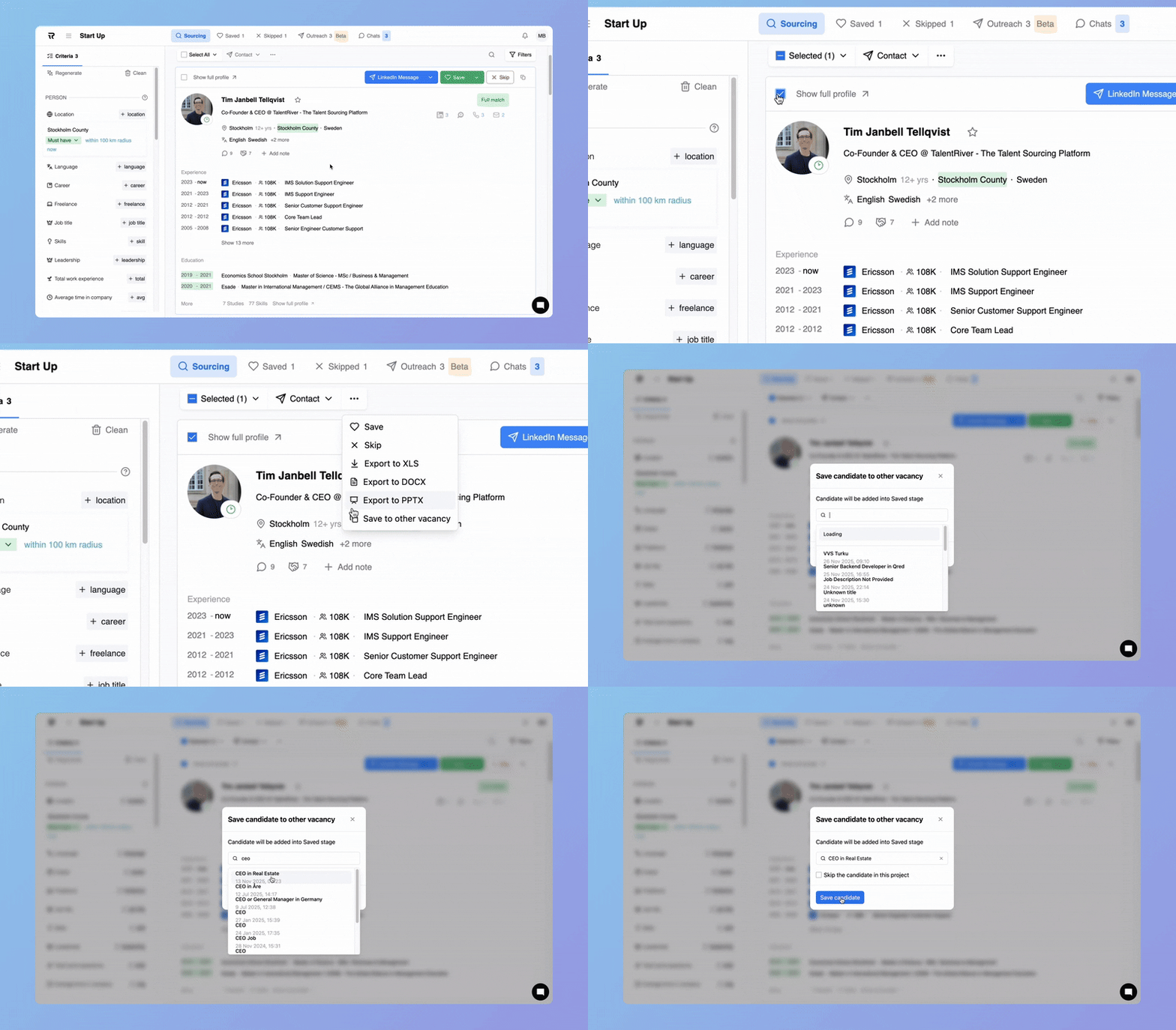
Confirm your action
When moving a candidate, TalentRiver will ask how you want to handle their status in the current assignment:
Skip candidate for this assignment → Removes the candidate from the current assignment.
Save candidate → Adds the candidate to the selected new assignment.
This helps you keep candidates organized, avoid duplicated work, and ensure every strong profile is considered in the right place.