
How TalentRiver Sorts Your Candidate Results
TalentRiver automatically organizes every search into clear match categories, helping you quickly understand which candidates best fit your requirements - and which ones may still be worth reviewing.
Your results are sorted into: All Matches, Full Matches, Close Matches, Some Matches, and Unknown Matches.
The strongest and most relevant candidates always appear at the top.
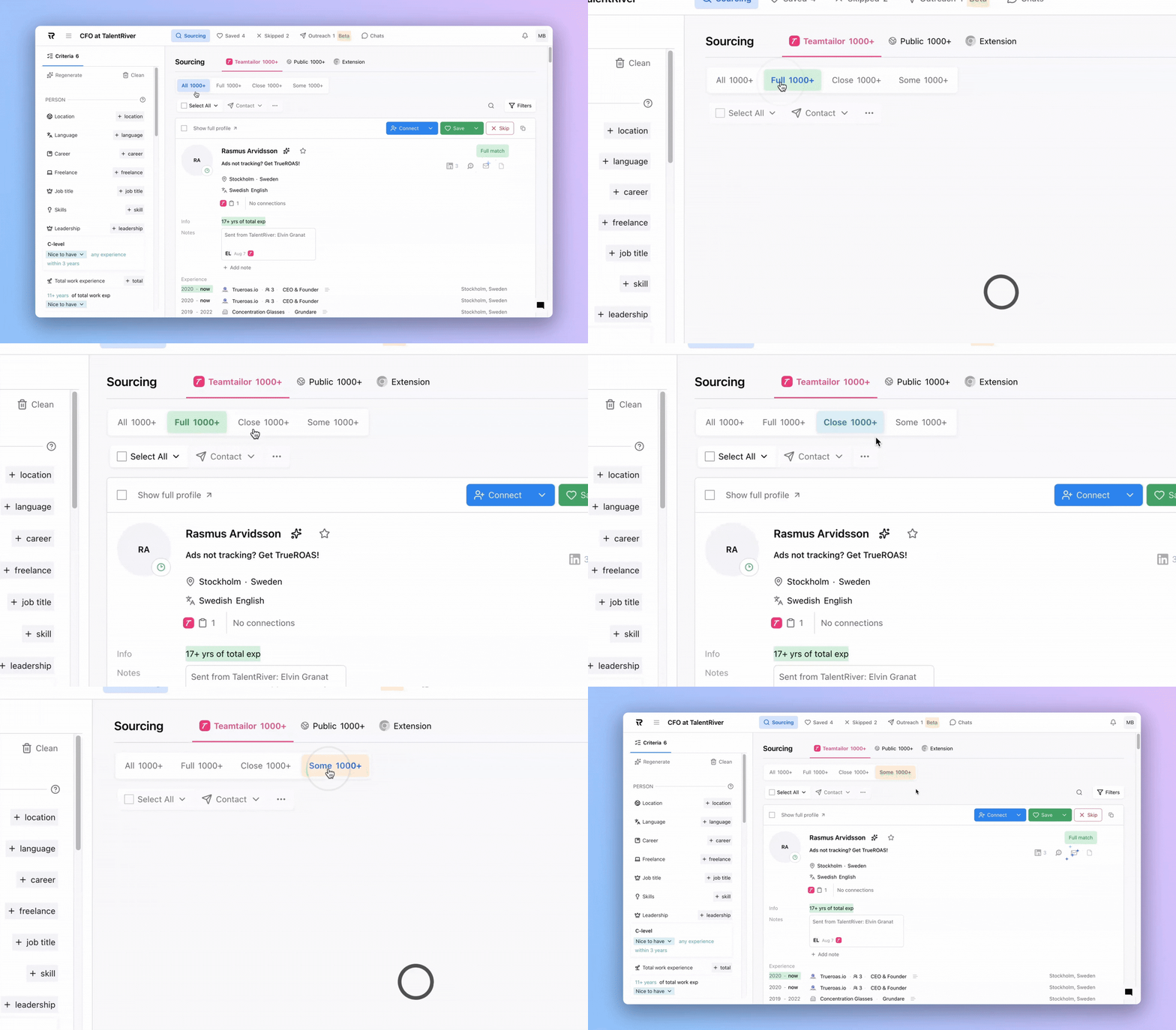
All Matches
This is the full list of candidates returned by your search, sorted by overall relevance based on your criteria.
Full Matches
These candidates meet all must-have criteria, including detailed sub-criteria such as:
Required years of experience
Recency of experience
Location
Language level
Required skills or tools
Other essential filters
These are typically your most accurate and complete matches.
Close Matches
These candidates meet most of your criteria, but may be slightly outside one or more sub-criteria.
Example
You requested 5–7 years of experience, and the candidate has 4 or 8 years.
→ Still relevant, just outside your preferred range.
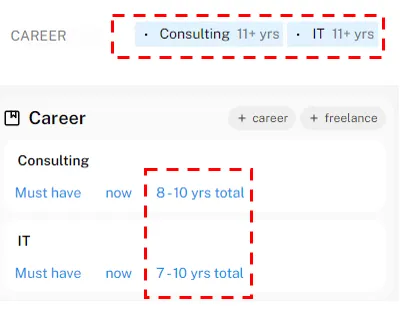
Close Matches are great when you want strong profiles but can be a bit flexible in the shortlist.
Some Matches
These candidates meet your core must-have criteria, but the system is uncertain about some details - for example:
Ambiguous skill matches
Missing experience data
Partial or unclear attributes
They may not be perfect fits at first glance, but they often contain strong potential candidates worth a closer look.
Unknown Matches
These are “wild card” candidates where key information is missing or doesn’t fully align - such as:
Different location
Unverified skills
Limited title or experience data
They’re useful when you want to broaden your search, explore hidden talent, or discover unexpected good fits.
If the top results look too senior, too junior, or a bit off - simply adjust your criteria.
Your results update instantly to reflect your new preferences.