
How to Use ‘Save & Star’ to Prioritize Candidates
The Save & Star feature in TalentRiver helps you keep track of your most promising candidates -fast. It’s a simple way to highlight top profiles, stay organized, and make sure no strong candidate gets lost in the list.
What ‘Save & Star’ Means
When you save a candidate in TalentRiver, you can choose between:
Save → Adds the candidate to your assignment as a regular saved profile.
Save & Star → Saves the candidate and highlights them as a top priority.
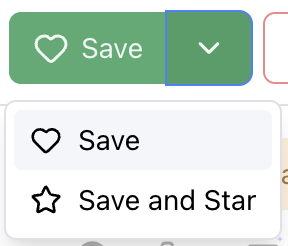
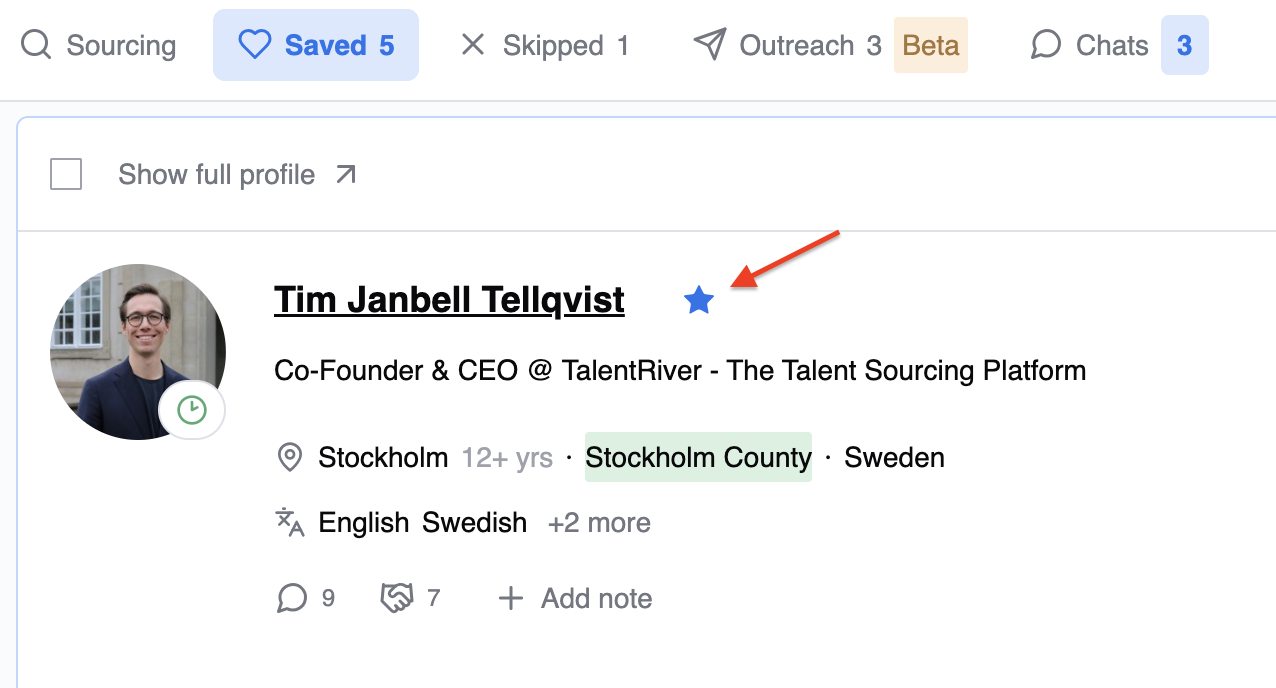
Starred candidates are always placed at the top of your saved list, making it easy to spot your strongest prospects instantly.
How to Use Save & Star
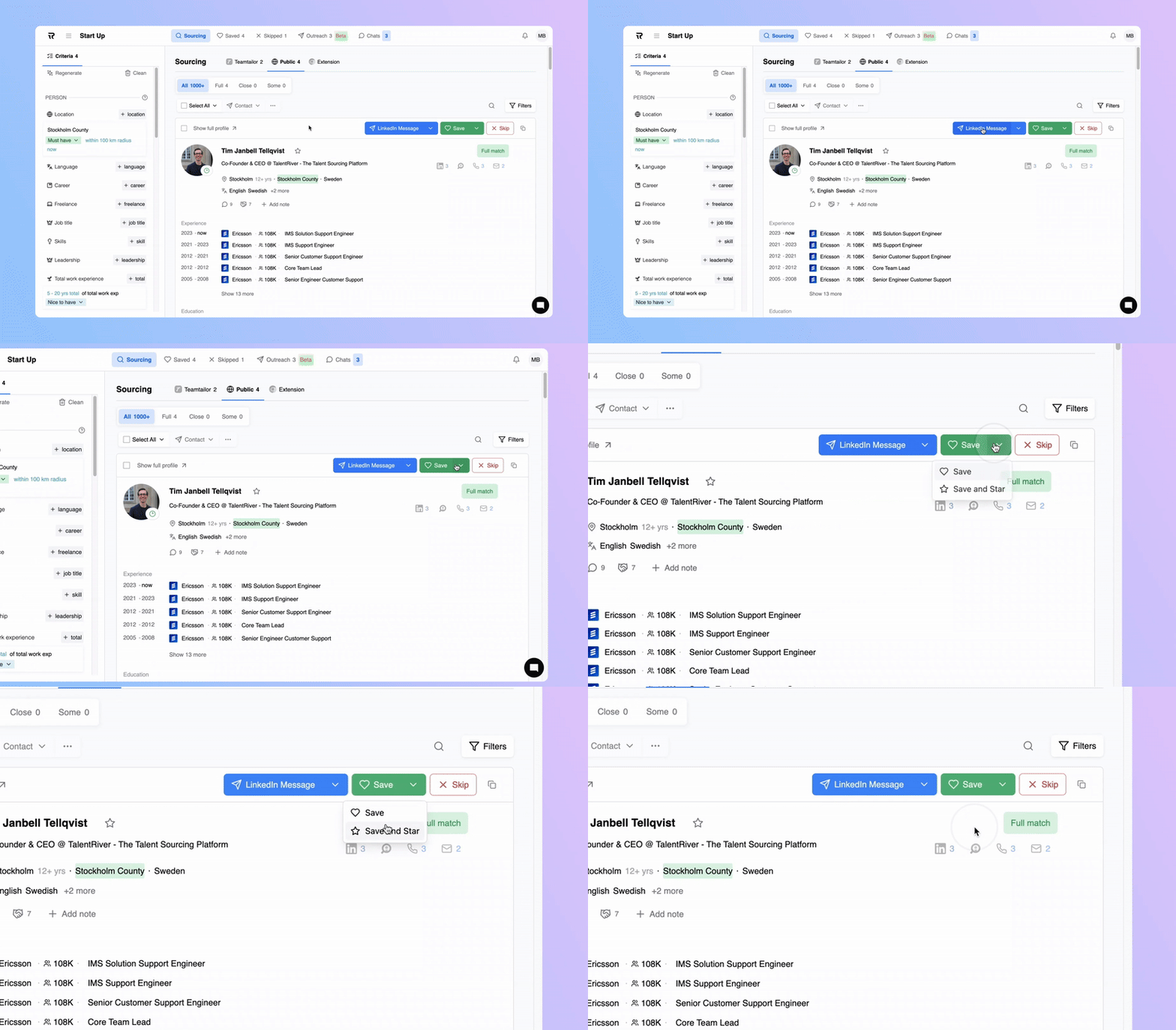
Open the candidate card.
Click Save.
Choose Save & Star to mark the candidate as a top priority.
That’s it - TalentRiver moves them to the top of your saved list automatically.
Create Priority Tiers with Save & Star
You can easily build your own candidate tiers:
⭐ Tier 1 - Starred Candidates
Your highest-priority candidates.
Great fit, high relevance, or someone you want to move forward quickly.
Tier 2 - Saved Candidates
Strong potential fits, but not top priority yet.
Ideal for candidates you may revisit or compare later.
This lightweight tiering structure keeps your pipeline clean and helps you make decisions faster during reviews or team discussions.
Why Use Save & Star?
Quickly highlight the strongest matches
Keep your saved candidates organized
Make faster decisions during screening
Collaborate more easily with your team
Using Save & Star as part of your workflow ensures you stay focused on the candidates who matter most - without extra admin or manual sorting.