
How to Send Candidates to Your ATS
You can move candidates from TalentRiver directly into your ATS - all with a single click.
No more manual copying, exporting, or updating stages.
This keeps your pipeline fully aligned across both systems and ensures every strong candidate lands in the right place.
Send Candidates to the Right ATS Stage
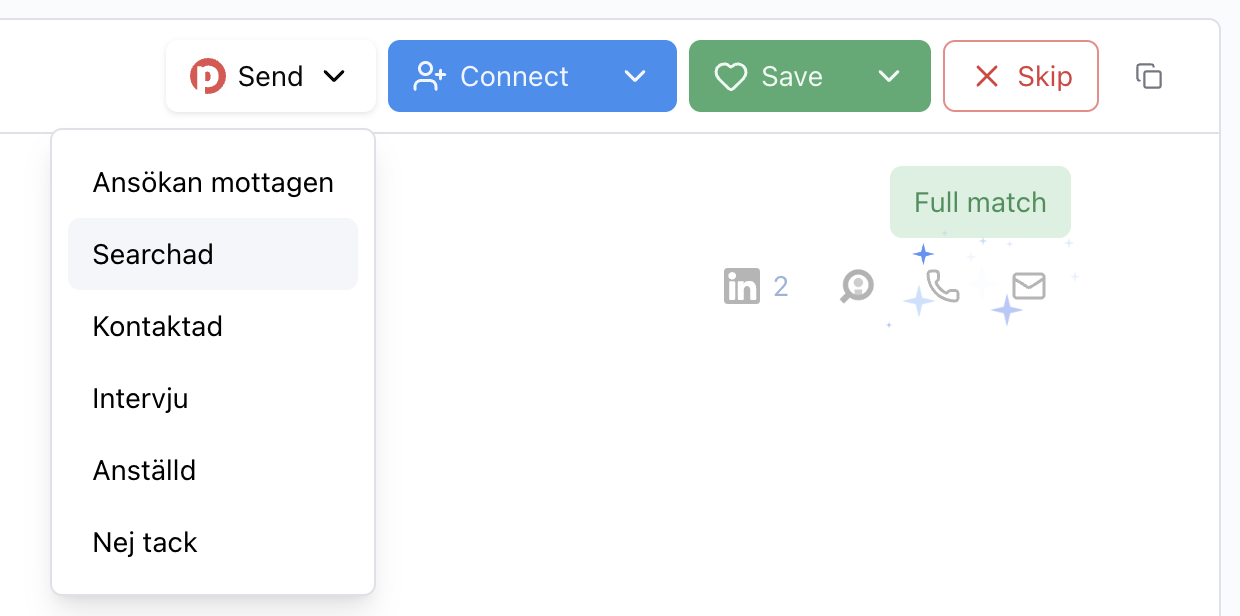
When viewing a candidate, simply click Send and choose the stage you want to move them to.
The stage options shown come directly from the pipeline of your linked ATS assignment.
TalentRiver will instantly transfer the candidate to the exact step you select - keeping everything neatly in sync.
Why This Feature Matters
Move candidates straight into your ATS pipeline
Keep TalentRiver and your ATS perfectly aligned
Remove manual admin and prevent data duplication
Save time when reviewing or moving multiple candidates
Works for Both Existing and New Candidates
You can send:
Existing candidates already stored in your ATS
Newly found candidates sourced through Public
No matter their origin, they will appear in your ATS the moment you confirm the transfer.
Move Candidates in Bulk
Need to update several candidates at once? You can take action in bulk:
Select multiple candidates (or click Select All)
Click Send
Choose the ATS stage
Confirm and you’re done

TalentRiver will move all selected profiles instantly - perfect for sourcing sprints, first-round reviews, or mass pre-screening.
Keep your recruitment flow connected, save hours of manual work, and make sure every promising candidate ends up exactly where they belong in your ATS.