
How to use Tags from your ATS
Tags from your ATS can help you refine your searches and find the right candidates faster. Use them to include or exclude candidates based on labels already in your recruitment system.
Step-by-Step
How to search with tags
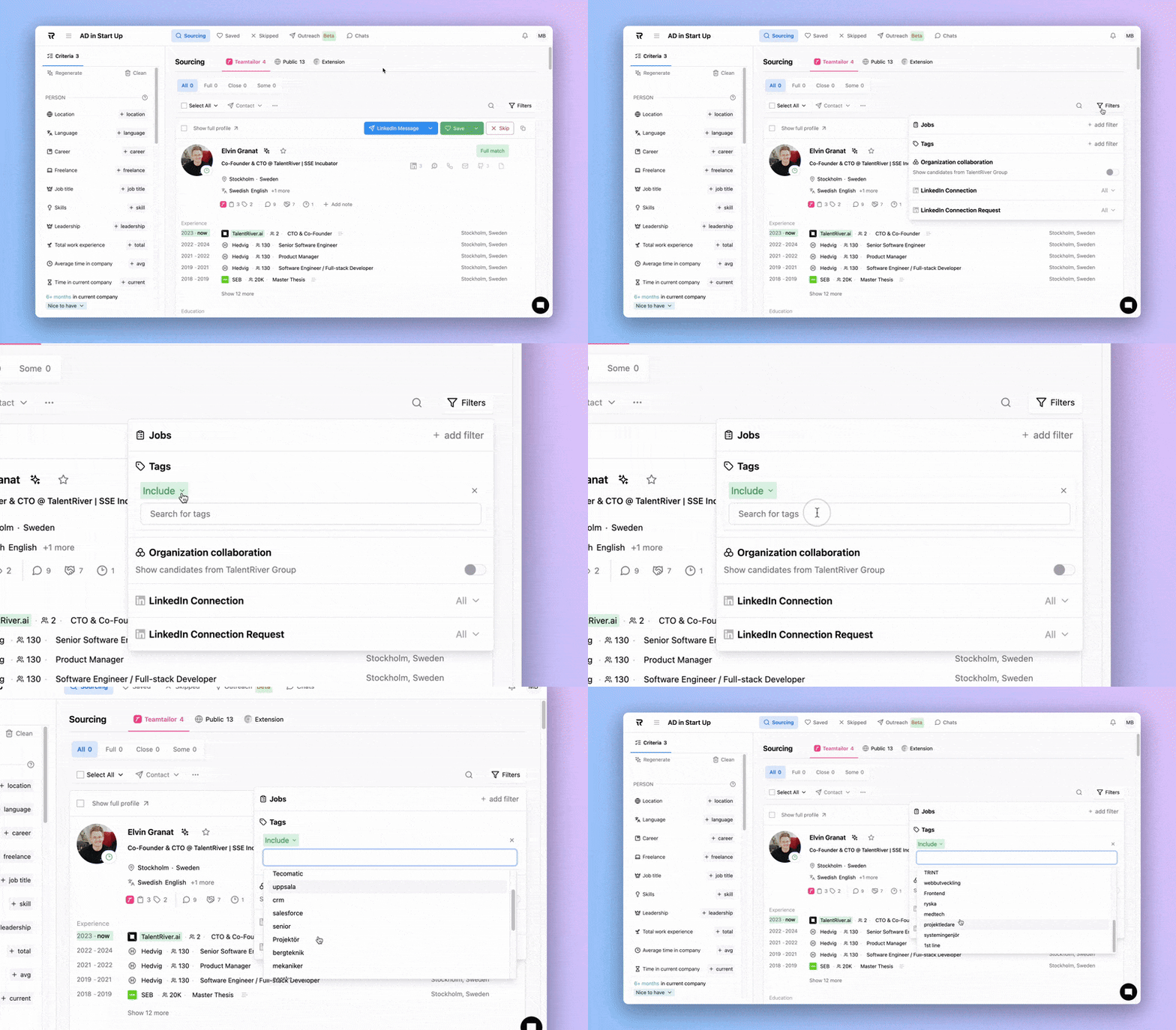
Open your Assignment, choose the ATS tab (e.g Teamtailor, Ponty) and go to Filters in your search view.
Click the tag icon.
Add the tags you want to include or exclude.
TalentRiver will refresh your results - only candidates with the selected tags will appear.
Using ATS tags ensures your search is aligned with your existing recruitment data, saving time and keeping your sourcing consistent.