
How to Read Candidate Results in TalentRiver
Understand Overview vs. Detailed Profile - and What the Highlight Colors Mean.
When TalentRiver presents candidates for your assignment, you can review them at two levels: a quick overview for fast decisions, and a detailed profile for deeper evaluation. Colored highlights help you understand exactly how each candidate matches your criteria.
Overview View - Quickly Check the Match
When you open a candidate card, you start in the Overview. This view shows a clear snapshot of how well the candidate fits based on:
Experience: How closely the candidate’s work history matches the required years and type of experience.
Skills: Whether the candidate has the specific skills or tools listed in your criteria.
Location: If the candidate is based in (or near) the location you’re targeting for the assignment.
Tags or criteria match: How well the candidate aligns with any tags, filters, or other criteria you’ve applied.
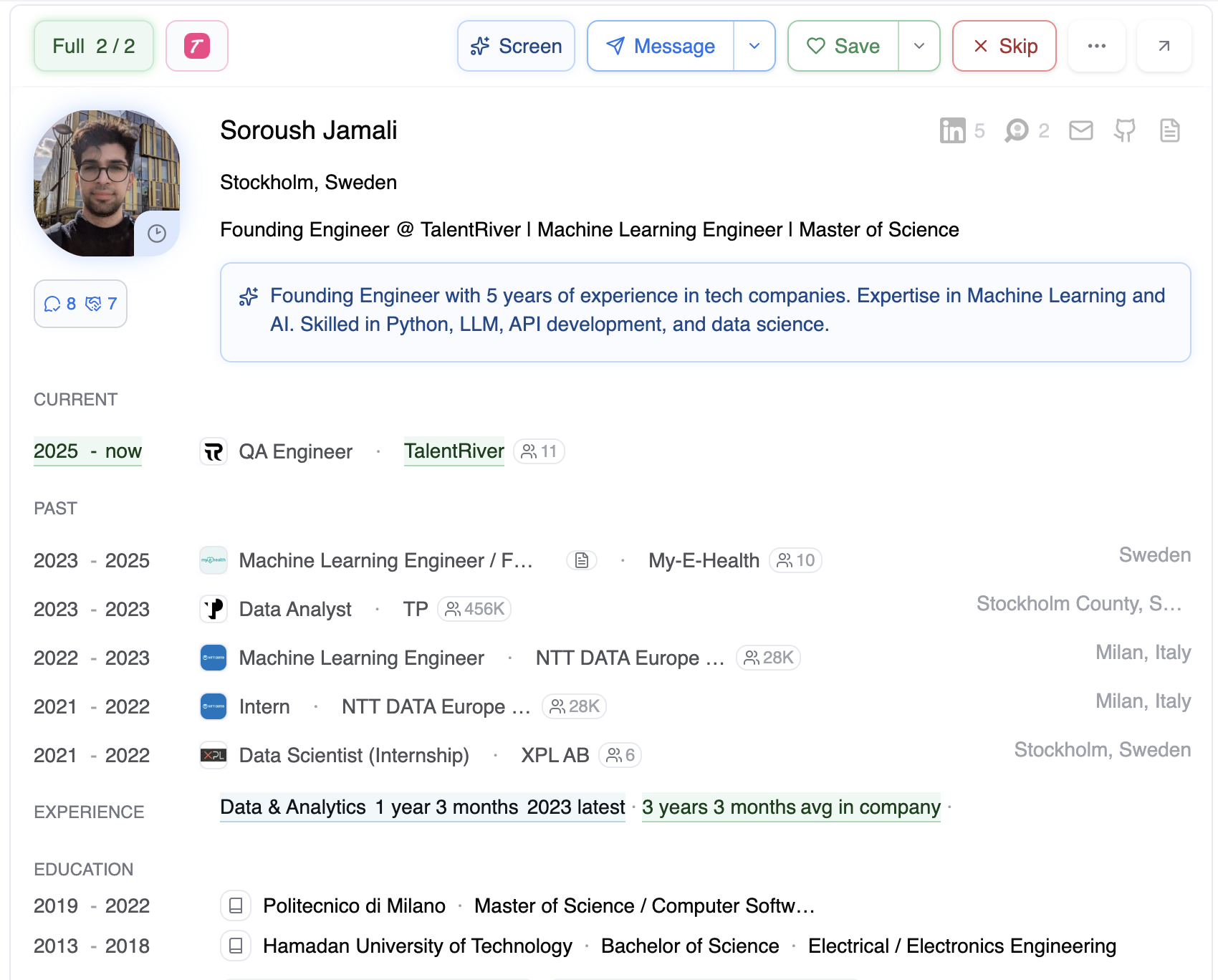
Use this view to quickly decide wether to:
Save the candidate
Skip the candidate
Open the full profile for more details
Full Profile - Explore the Candidate in Depth
If you want to review the candidate more thoroughly, click “Show full profile”.
In the detailed view, you can:
Review full work history
Explore all skills, tools, and languages
Read summaries and background information
(For ATS candidates) Open and read their full CV
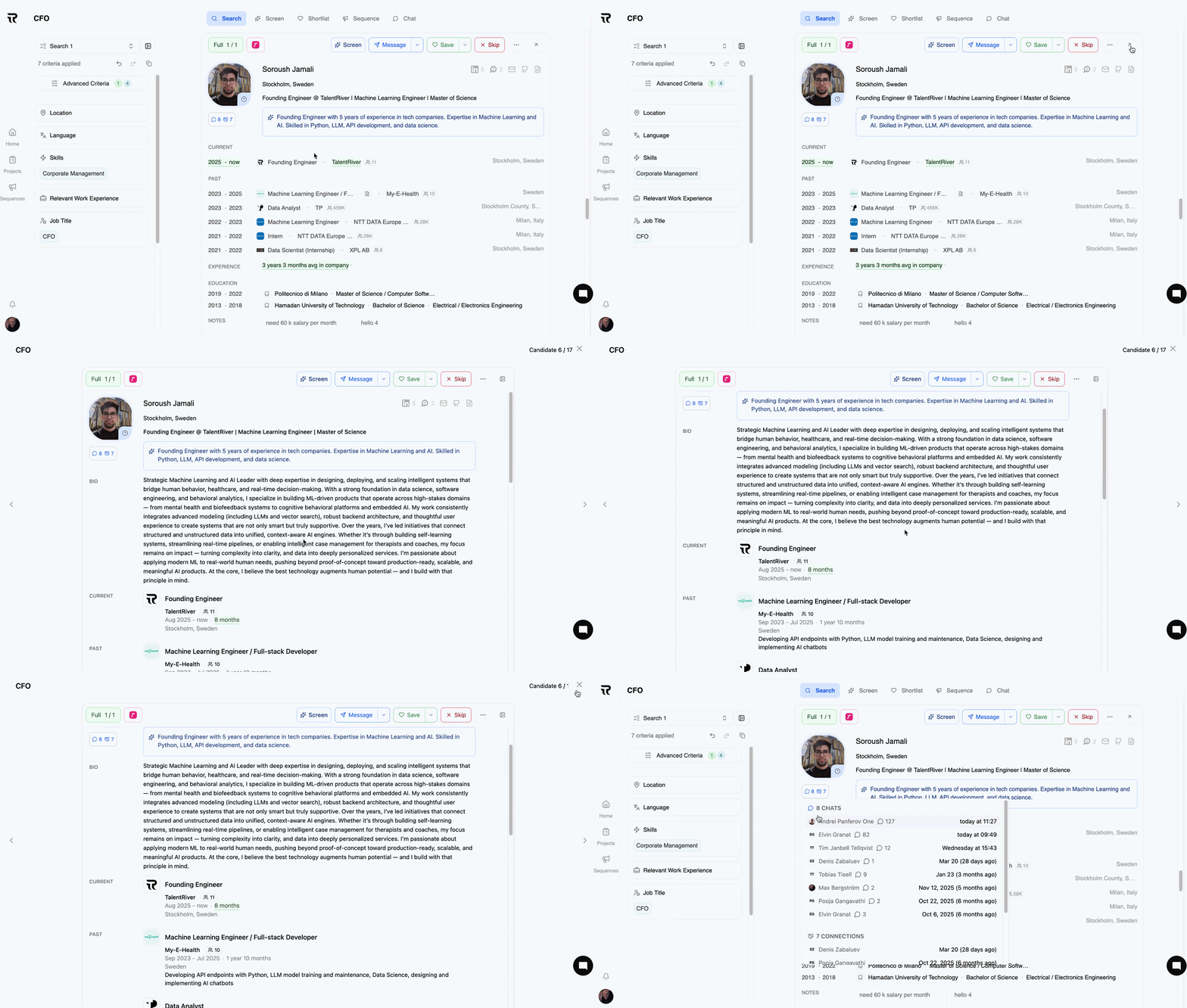
Use this view when you want full context before deciding whether to move the candidate forward.
What the Highlight Colors Mean
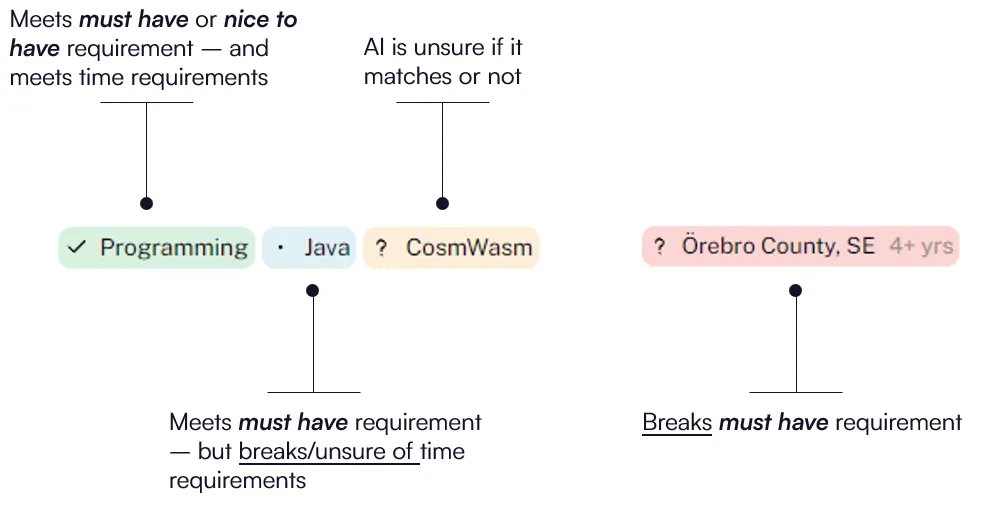
TalentRiver uses highlight colors to show how each section of a candidate’s profile matches your criteria.
Color Breakdown
🟢 Green - The candidate meets the requirement
Matches must-have or nice-to-have criteria. Also satisfies any related time conditions (e.g., years of experience).
🔵 Blue - Matches the skill, but not the time requirement
Example: You require 5 years of experience, candidate has 3–4.
🟡 Yellow - AI is unsure
The match is partial, ambiguous, or not explicitly confirmed.
🔴 Red - Breaks a must-have requirement
The candidate does not meet one or more critical must-have criteria
By combining the Overview, Full Profile, and color-coded highlights, TalentRiver helps you evaluate candidates quickly and confidently - so you can focus on the strongest matches first.