
Can’t See an Assignment from Your ATS in TalentRiver?
If you’ve recently added a new job or assignment in your ATS but don’t see it in TalentRiver, it may just need a quick refresh.
You can easily sync the latest assignments from your ATS into TalentRiver in a few seconds.
How to Refresh Assignments
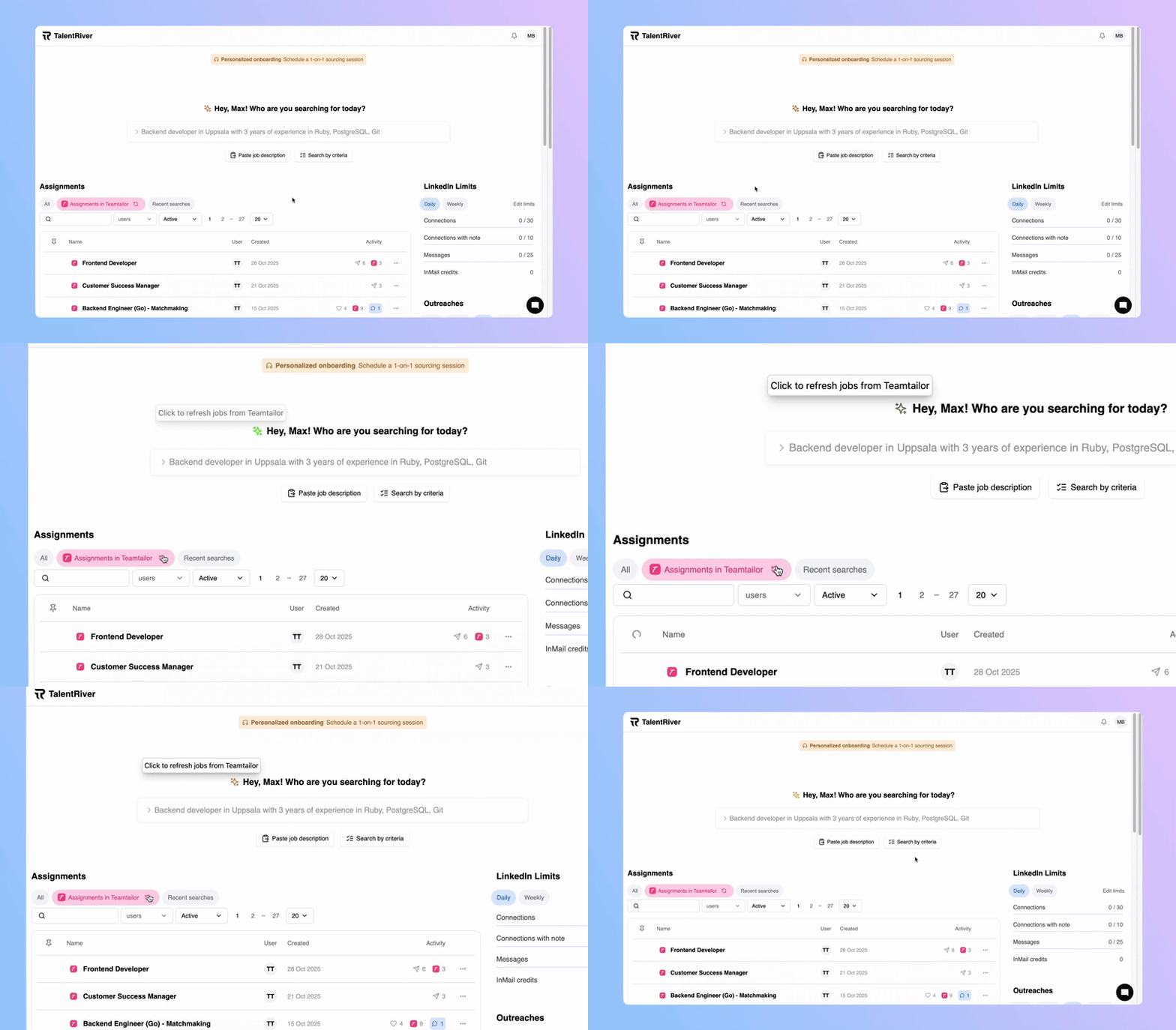
Go to your TalentRiver Home Dashboard:
👉 app.talentriver.aiClick the “Refresh” button above your list of ATS assignments.
TalentRiver will automatically sync and import any new assignments that were recently added in your ATS.
If your new assignment still doesn’t appear after refreshing, send us a message in the chat to the bottom right, or contact support@talentriver.ai for help.